
A customer calls because a payment isn't showing in their app. On the line, a service rep puts them on hold, toggles across three legacy tabs to find the transaction, and searches internal guidance to figure out if the request needs a tier-2 handoff.
It is just one call. But multiply it across thousands of daily renewals, status checks, and follow-ups, and your operations stall.
For a service leader, the challenge isn't finding hardworking staff. It is stopping routine lookups from consuming the capacity needed for high-value customer interactions.
What is an AI workforce?
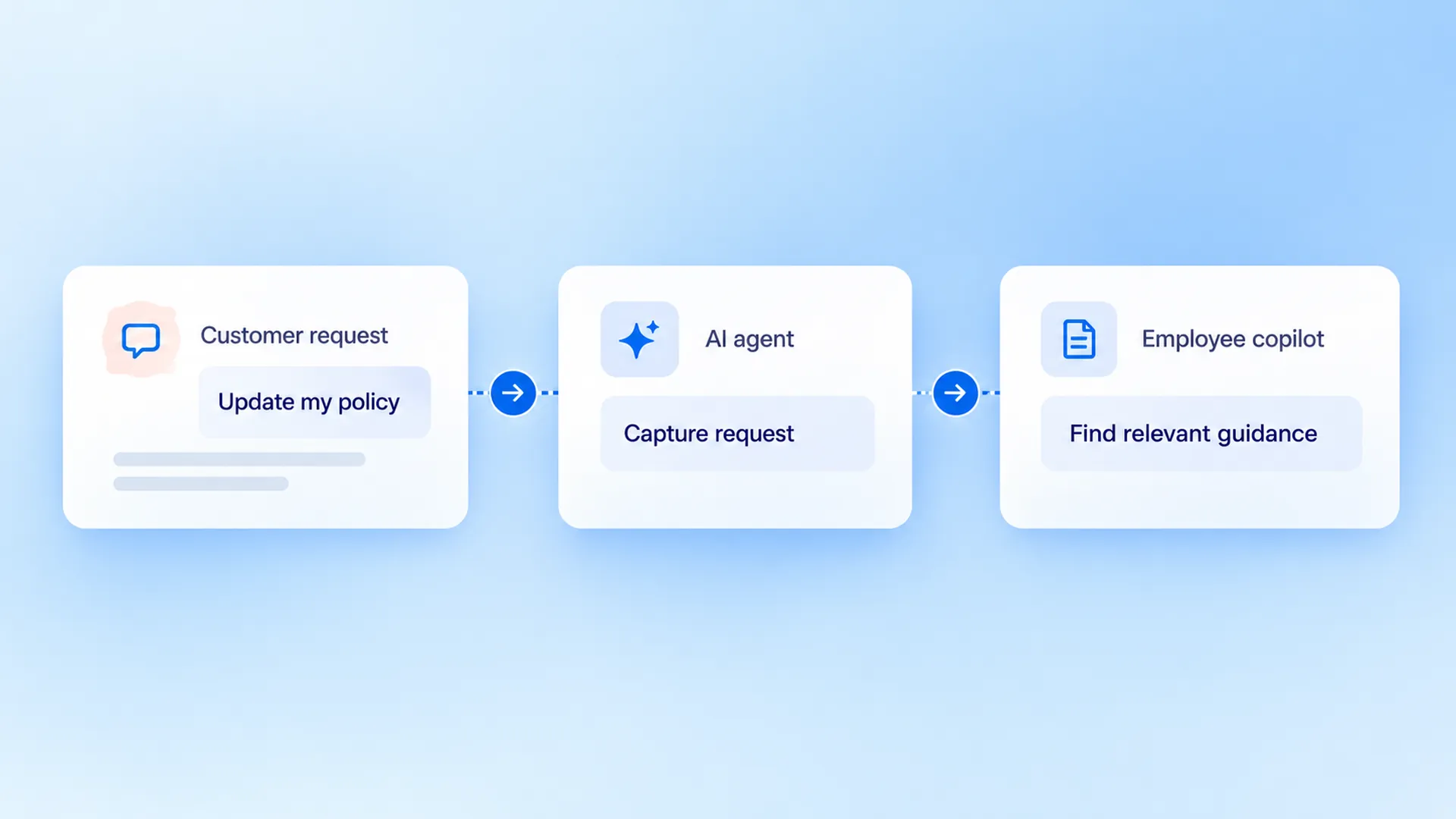
An AI workforce is not a full-system overhaul. It is a structured team of specialized AI agents and copilots assigned to specific, bounded roles across your operations.
- AI Agents resolve predictable, end-to-end tasks directly with customers.
- AI Copilots sit alongside your human reps, surfacing approved knowledge and context in real time.
Every role operates within strict access permissions and human oversight rules. You don't automate everything; you simply remove the manual friction between your people and your software.
How do AI agents and copilots work together?
An AI agent is assigned a role in a task or process. Depending on its configuration, it may interpret a request, use approved knowledge and help move the request to the next step. A voice agent interacts through conversation; its role is defined by the work it is there to do.
An AI copilot helps an employee do their job. It might bring relevant information together, summarize a request or prepare a response for review. The employee remains responsible for the decisions assigned to them.
An AI workforce is the wider approach: bringing these roles into the workflows an organization already runs. A service agent and a copilot can address different parts of the same customer journey. Their handoff and access to information depend on how they are configured and connected in a particular deployment.
What can an AI workforce do for a team?
The answer depends on the work. Here are three common ways role-based AI can support customer and employee operations.
Help customers with everyday requests
Service teams spend time answering questions about products, processes and the next steps in an application. An AI agent can use approved information to respond to suitable requests and direct more complex issues to an employee. Customers get a clearer route to an answer, while employees have more time for cases that need their attention.
The important question is what happens after the first answer. If a customer needs an investigation or a follow-up, the conversation should give the service team useful information for that next step.
Turn customer interest into growth
A bank can have thousands of eligible customers for a credit card campaign, but an offer only becomes an opportunity when someone has the conversation. A Sales Agent can contact an approved audience, explain the offer, capture interest and route the next step to the team. The business can then see how outreach moves toward applications and, ultimately, issued cards.
Collections is another place where the conversation matters commercially. A leading Singapore digital bank used Dyna.Ai Voice Agents for multilingual collections outreach, with employees handling cases that required judgment and follow-up. The bank reported a threefold increase in collections efficiency in that deployment.
The same principle applies to renewal outreach. Lifenet Insurance used a Japanese-language Voice Agent to identify customer intent and organize conversations for follow-up, while people remained responsible for renewal decisions.
For the team, the conversation creates a clearer next step. Whether a customer ultimately renews remains a separate outcome.
Give employees information when they need it
Even experienced employees may need to check a policy or search several sources before answering a customer. A copilot can help them find relevant approved information and prepare a response. The employee can then apply judgment, check the details and continue the conversation.
The employee can spend less time searching and more time working through the customer’s actual question.
How do you measure AI workforce results?
The answer depends on the outcome the role is meant to achieve. Calls placed or messages sent show activity. They do not tell you whether a customer renewed a policy, an inquiry was resolved or a sales opportunity moved forward.
For a growth team, the question is what happens after outreach. How many eligible customers were reached? How many expressed interest, completed an application or became active cardholders? A qualified lead passed to an employee is progress; an approved application, issued card and active account are different outcomes that may depend on other teams and steps.
For a service team, look at whether requests are resolved, whether customers need to contact you again and how the experience changes when a person takes over. Compare similar request types over a consistent period, so a change in the mix of easy and complex cases does not distort the picture.
For a collections team, examine whether outreach reaches customers, leads to repayment commitments and ultimately results in payments. Track actual repayments separately from calls and promises to pay. The Singapore bank’s reported collections efficiency shows a change in its operation; it does not by itself tell us how much additional debt was recovered.
To assess financial value, compare the relevant costs before and after deployment, including AI usage, integration, human follow-up and other operating costs. Time returned to employees creates capacity; it becomes a cash saving only when spending actually decreases. Similarly, additional sales should be assessed against the costs of delivering them. Other changes in the business may also affect the result, so avoid attributing the full change to AI without evidence.
How do you put an AI workforce to work?
Start with a customer or employee task your team understands. Look for work that occurs often enough to matter and where a useful outcome can be described clearly. Then consider the information required, the steps an AI role could handle and when a person should take over.
For example, a service team could start with questions about application status. An agent may explain the status using the information it is permitted to access; requests that need investigation can move to an employee. The team can then look at whether customers received the information they needed and whether follow-up reached the right person.
As the organization learns, it can introduce additional roles where they address a distinct need. Some tasks may still be better served by a simple rule or a person. What matters is a sensible division of work, backed by access controls, oversight and a way to see the outcome.
How Dyna.Ai brings an AI workforce together
Dyna.Ai's AI Workforce brings role-based agents into customer and employee operations. Customer Service Agent addresses service requests, Sales Agent helps teams follow up with customers, and Collection Agent supports repayment conversations. AI Copilot helps employees find relevant knowledge in the flow of work.
Agent Studio connects models, knowledge, workflows and controls to help organizations build and govern agents. The roles, connections and permissions used in any deployment depend on the work the organization wants to address.
Bring the right help into the work
From customer service to growth, Dyna.Ai’s agents and copilots can help teams move work forward and focus on outcomes that matter to the business.
Explore Dyna.Ai's AI Workforce to see how specialized agents and copilots can support customer service, growth and employee work.