
A customer asks about a mobile plan on a sales call. The next day, they return on web chat with a question about roaming. By the time a sales specialist joins, they have explained the same situation twice.
The telecom provider already has the product information. It has a record of the call. Its sales and service teams know how to help. What it needs is a way to bring those pieces together while the customer is still engaged.
That is where an AI workforce becomes useful. Sales and service agents can draw on shared business knowledge, use relevant conversation history and work with employees to move the request forward.
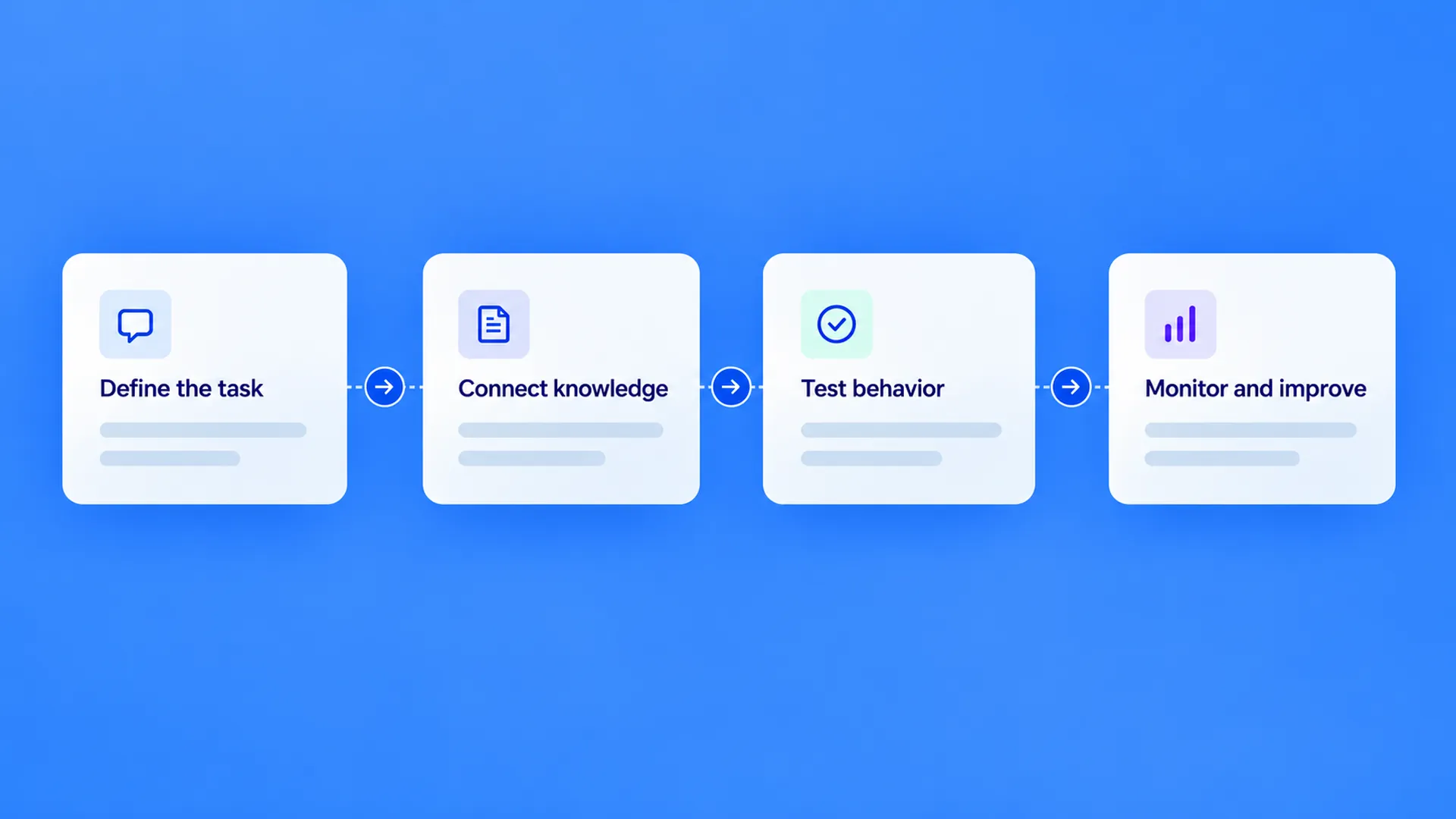
Dyna.Ai Agent Studio is the platform for building and managing those agents. It connects their roles, knowledge, workflows and controls, so an enterprise can put AI to work on customer service, growth and operations as a connected workforce.
Start with the customer journey you want to improve
Consider the customer asking about roaming. The Sales Agent uses the approved plan information to explain the offer and records that the customer wants time to decide. When the customer returns on web chat with a question about coverage, a Customer Service Agent can use the relevant guidance to answer it. If the customer then requests a sales specialist, the employee can see the plan discussed and the question already addressed.
In this illustrative journey, the business wants the customer to get a useful answer and, when they are ready, continue with the right person.
In Agent Studio, teams build the roles and workflow around that objective. They can configure the Sales Agent to use approved plan information, define the service questions the Customer Service Agent handles, and route requests for a specialist to a person. For the sales journey, the outcome is more meaningful than a completed call: the customer has an answer and, if interested, a clear next step with the right owner.
Ground every agent in approved business knowledge
An agent that speaks fluently can still give an unhelpful answer if it is working from outdated or incomplete information. A sales campaign might change its terms; a service team might update the guidance customers need. Each agent should be working from the business information relevant to its role.
Agent Studio's knowledge management brings approved product information, policies, procedures and FAQs into a shared knowledge foundation. The Sales Agent can use the guidance it needs to explain an offer. A Customer Service Agent can use relevant service information to answer a related question. When the business changes an offer or updates a procedure, teams can manage the source material the relevant agents use. This gives the organization a shared foundation for keeping customer answers aligned with its current guidance.
Shared does not mean unrestricted. The enterprise defines what each role can access. That matters when a conversation moves from a general product question to information or actions that require verification.
One Brain: connect what the business knows with what has happened
Business knowledge tells an agent what the organization has approved. It does not, by itself, tell the agent what happened in this customer's earlier conversation.
One Brain brings enterprise knowledge, rules, relevant memory and reasoning together across roles. Long-term memory retains relevant history over time, so an agent can use prior context when the customer returns. In this example, that might include the mobile plan discussed, the roaming question and the customer's request to continue later.
This distinction is useful. When the customer asks about roaming, the agent needs current plan guidance. When the customer says, “I asked about this yesterday,” it also needs the relevant history. Together, those inputs help the next agent or employee continue the work with context, rather than start a new conversation from scratch.
The information retained and shared is governed by the enterprise's configuration and access permissions. The aim is to bring the right context to the right role, not give every agent access to every record.
Let agents collaborate across roles and channels
Customers rarely organize their questions around an enterprise's team structure. Someone exploring an offer may need a service question answered before they are ready to speak with sales. The work can involve several agents and an employee, each with a different responsibility.
Dyna.Ai's platform supports multi-agent collaboration, allowing agents to share relevant memory, context and intent as they carry out related tasks. Agent Studio gives teams a place to design those roles and how the work moves between them.
The same journey can also cross channels. A customer might start by phone and return through web chat or messaging. With the relevant connections, identity checks and permissions in place, the next interaction can use context from the earlier one. The channel changes, but the customer does not need to start over.
For a sales leader, this means an inquiry is less likely to become disconnected from the opportunity it belongs to. For a service leader, it gives the team a clearer view of what has already been addressed. The same need arises when an insurance customer asks about a policy before renewing, or when a bank customer returns to an application started on another channel.
Put guardrails around what agents know and do
A connected workforce still needs boundaries. An agent may be able to explain an approved offer but cannot promise an exception outside its authority. A service request may require an identity check before protected information can be accessed. A sensitive or unfamiliar issue may need an employee's judgment.
Agent Studio brings those rules into the workflow. Teams can define a role's permitted actions, the knowledge and tools available to it, and the points where a person needs to step in. For a sales campaign, that can include an approved audience, offer and contact window. Teams can also review agent behavior and handoffs as they manage the workflow.
These controls help enterprises apply their policies in day-to-day operations. Compliance remains a responsibility of the complete deployment and the organization operating it, including its data handling, access and review practices.
Learn from real interactions and improve over time
Knowing the business is not a one-time setup. Offers change, new customer questions emerge and teams discover where a journey is getting stuck.
Dyna.Ai's self-learning and optimization capabilities help agents improve from operational experience. Real customer conversations, cases where an answer fell short, human annotations and AI quality reviews all provide signals that can be used to improve how an agent understands and responds. Monitoring shows teams where those opportunities appear and how the agent performs over time.
Take the roaming question. Customers might ask, “Will my data work overseas?” or “Can I use this plan when I travel?” If an agent misses that both questions concern roaming, those conversations can become examples for improving intent recognition. The goal is for the agent to recognize the request more reliably the next time a customer asks it in a different way.
Learning from a conversation is one part of improvement. The business also needs to keep its approved product knowledge current and review how the workflow handles exceptions. If the roaming policy changes, the information used to answer must be updated. If a customer asks for an exception, the agent still follows the escalation rules. Agent Studio brings evaluation and monitoring into that process, so teams can assess performance while maintaining control over their knowledge and business rules.
Before release, teams can test expected conversations and exceptions. After launch, they can look beyond the number of conversations handled. In this journey, useful measures include whether the customer received an accurate answer, whether the handoff carried the relevant context and whether an interested customer received the promised follow-up. The sales team can then track whether those opportunities lead to completed applications or other business results. Response time and coverage help explain performance, but they do not establish that an opportunity progressed.
Build your AI workforce around the way your business works
The customer who asked about roaming can continue the conversation with the details they need, while the sales specialist has the context to follow up. Agent Studio brings the agents, business knowledge and controls together to make that kind of connected work possible.
Explore Dyna.Ai Agent Studio to see how your team can build and manage connected agents for customer service, growth and operations.